How to Operate on Huobi, Binance, and Other Top Crypto Exchanges: A Step-by-Step Guide

Navigating the world of cryptocurrency trading often begins with major platforms like Binance, Huobi (now part of HTX), and other well-known exchanges. For new and experienced users alike, understanding the standard operational steps is crucial for security and efficiency. While each exchange has its unique interface, the core processes are largely standardized. This guide breaks down the essential operations you need to know.
First, account setup and security are paramount. To begin, visit the official website of the exchange (e.g., binance.com, htx.com). You will need to register using an email address or phone number. After registration, exchanges require identity verification (KYC) to comply with global regulations. This typically involves submitting a government-issued ID and a selfie. Once verified, enable two-factor authentication (2FA) using an authenticator app like Google Authenticator. This is the single most important step to protect your funds from unauthorized access.
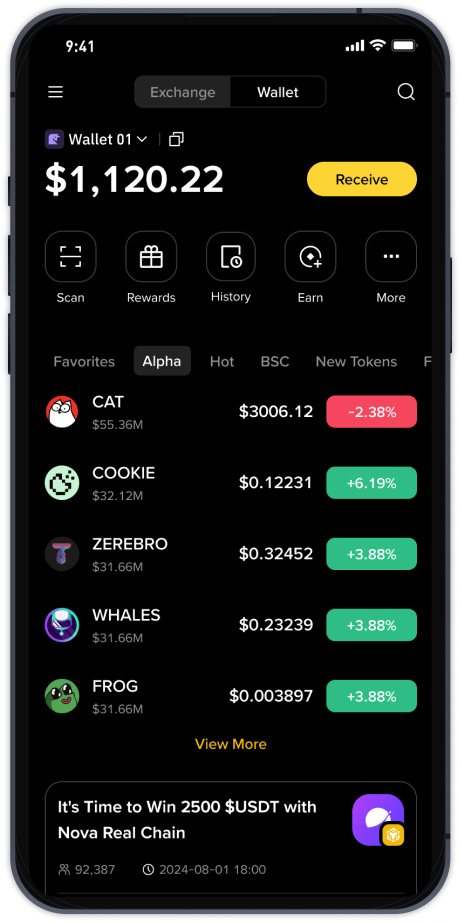
Depositing funds is the next critical step. After logging in, locate the "Wallet" or "Assets" section. Choose "Deposit" and select the cryptocurrency you wish to transfer (e.g., USDT, BTC, ETH). The system will generate a deposit address (a long string of letters and numbers). You can either copy this address or scan the QR code to send funds from another wallet or exchange. Be extremely careful to select the correct network (e.g., ERC-20, BEP-20, TRC-20). Sending funds on the wrong network can result in permanent loss. For fiat currency deposits (like USD, EUR), you will navigate to the "Buy Crypto" or "Fiat & Spot" section to link a bank account or use a credit/debit card.
Executing a trade is the core operation. Once your account has a balance, go to the "Markets" or "Trade" section. Exchanges offer two main trading modes: "Spot" and "Futures." For beginners, "Spot" trading is recommended. In the spot trading interface, you will see a trading pair (e.g., BTC/USDT). The interface includes a price chart, an order book, and an order form. The simplest method is a "Market Order," which buys or sells immediately at the current best price. Click "Buy" or "Sell," enter the amount (or select "100%" to use your entire balance), and confirm the order. For more control, use a "Limit Order" to set a specific price at which you want the trade to execute.
Finally, withdrawal management ensures you can access your assets. To withdraw crypto, return to the "Wallet" or "Assets" section and click "Withdraw." Paste the external wallet address (double-check every character), select the correct network, and enter the amount. The exchange will charge a small network fee and often require a confirmation via email and your 2FA code. Some platforms, like Binance, also have a withdrawal whitelist feature which can only send funds to pre-approved addresses, adding an extra layer of security. Remember that withdrawal processing times vary by network congestion and exchange policy.
By mastering these basic operations—registration with security, depositing to the correct network, executing spot trades, and withdrawing to a personal wallet—you can effectively use any major exchange like Binance or Huobi. Always double-check addresses and network selections, and never share your API keys or private login details with anyone. Consistent application of these steps and security measures will keep your trading experience smooth and your assets safe.