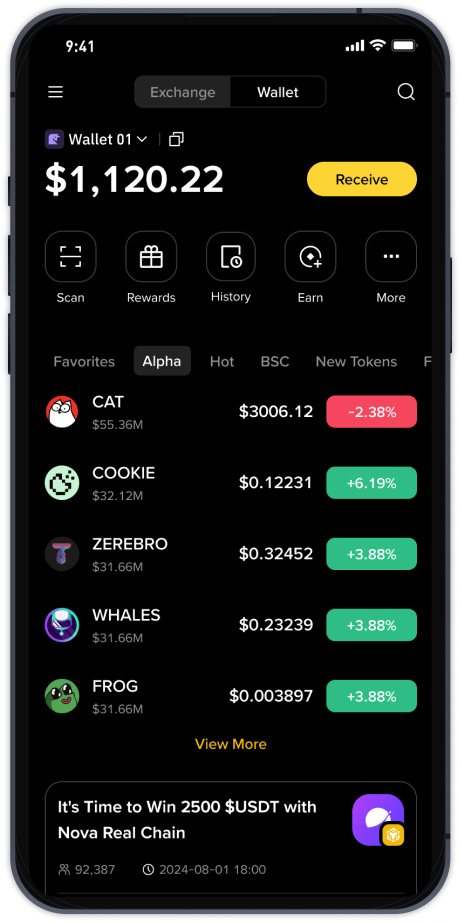
How to Withdraw from Binance and OKX Exchange: Step-by-Step Guide for Crypto Transfers

Withdrawing funds from cryptocurrency exchanges like Binance and OKX is a routine task for traders and investors. However, the process can vary slightly between platforms, and understanding the correct steps ensures your funds arrive safely and without unnecessary delays. This guide provides a clear, step-by-step breakdown of how to complete a withdrawal on both Binance and OKX, covering key settings like network selection, withdrawal fees, and security verification.
Before initiating any withdrawal, ensure your account is fully verified and that you have enabled two-factor authentication (2FA). This reduces the risk of unauthorized access. Also, confirm the destination address is correct—crypto transactions are irreversible.
Withdrawing from Binance:
- Log into your Binance account and navigate to the “Wallet” section, then select “Overview” and click “Withdraw.”
- Choose the cryptocurrency you wish to withdraw. Binance supports hundreds of tokens, including BTC, ETH, USDT, and BNB.
- Enter the recipient’s wallet address. You can either paste it manually or use the QR code scanner for accuracy. If you are withdrawing to another exchange or a software wallet, double-check the address.
- Select the appropriate network. This is crucial: if you withdraw USDT, you can choose from TRC-20, ERC-20, BEP-20, or others. The network must match the one your recipient wallet supports. For example, sending USDT on ERC-20 to a TRC-20 address will result in a lost transfer.
- Enter the withdrawal amount. Binance displays the minimum amount and the network fee clearly. Fees vary based on the coin and network congestion. BNB often offers discounts on trading and withdrawal fees if held in your Binance account.
- Review all details, then click “Submit.” You will likely need to confirm via email, SMS, or Google Authenticator. Once approved, the transaction is broadcast to the blockchain. You can track its status under “Withdrawal History.”
Withdrawing from OKX:
- Log into your OKX account and go to “Assets” > “Withdraw.”
- Select the cryptocurrency you want to send. OKX offers a similar range of major coins and altcoins.
- Paste the destination wallet address or scan the QR code. OKX also allows whitelisting addresses for added security—a feature you can enable in the security settings to prevent withdrawals to unverified addresses.
- Choose the correct chain (e.g., Optimism, Arbitrum, Polygon, or native chain). As with Binance, the network must match the recipient’s wallet. OKX clearly labels each option with the expected confirmation time and fee.
- Input the amount. The interface shows the maximum you can withdraw, the fee, and the final amount received by the recipient.
- Verify your identity through 2FA. OKX may also require a separate withdrawal password if you have set one. After submission, you will receive a confirmation code via email or authenticator app.
- Once confirmed, the withdrawal is processed. You can monitor progress in the “Withdrawal Records” section. For large amounts, OKX may conduct a manual security review, which can take a few hours.
Common Issues and Tips:
- Network Congestion: During high traffic (e.g., Bitcoin halving, DeFi token launches), withdrawal times may increase. Check the blockchain explorer for real-time status.
- Wrong Network: This is the most common error. Always verify the network with your receiving platform. Some wallets display a warning if the network mismatch is detected.
- Minimum Withdrawal: Exchanges impose minimums. For example, Binance’s minimum for ETH could be 0.01 ETH. Be sure you meet this threshold.
- Fees Comparison: Binance and OKX offer competitive fees, but they differ. For instance, withdrawing USDT via TRC-20 on Binance might cost 1 USDT, while OKX may charge 0.8 USDT. Compare before moving funds, especially for frequent withdrawals.
Final Check:
Before hitting “Submit,” take a few seconds to verify every detail: the address, the amount, and the network. A single typo can result in permanent loss. Both Binance and OKX provide clear interfaces for withdrawals, but the responsibility lies with the user. By following these steps, you can execute crypto withdrawals confidently and efficiently.